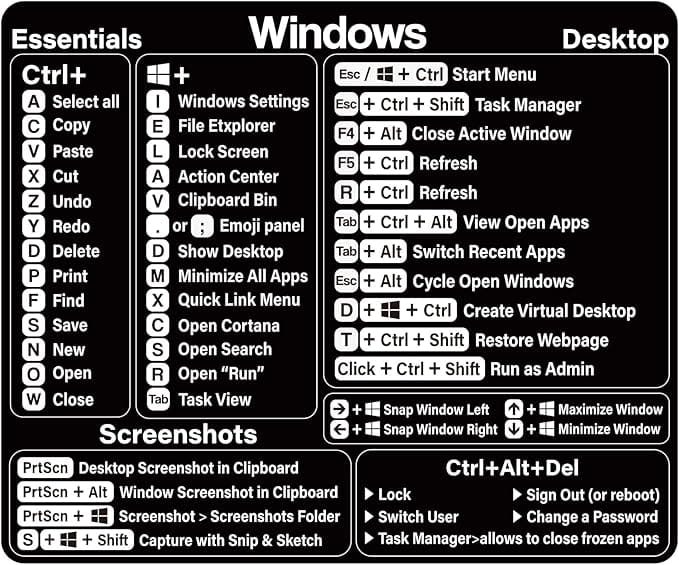
Computers are essential tools for work, education, and entertainment. However, like any other machine, they require regular maintenance to perform at their best. Neglecting basic computer care can lead to slower performance, system errors, or even hardware failure. To help you keep your computer running efficiently, here are some simple tips for performing basic computer maintenance.
1. Keep Your Software Updated
One of the simplest yet most important aspects of computer maintenance is keeping your software up to date. Operating system updates and software patches often include security fixes and performance improvements. Enabling automatic updates or regularly checking for updates ensures your computer remains secure and functions optimally.
2. Regularly Clean Your Hardware
Over time, dust and debris can accumulate in and around your computer, potentially causing overheating or damage. Use a soft cloth to wipe down your keyboard, mouse, and monitor. For the internal components, use compressed air to carefully remove dust from the vents and fans. Always ensure your computer is powered off and unplugged before cleaning.
3. Declutter Your Hard Drive
A cluttered hard drive can slow down your computer’s performance. Regularly delete unnecessary files, uninstall unused programs, and organize your documents and media. Use built-in tools like Disk Cleanup (Windows) or Storage Management (Mac) to free up space. Consider using an external hard drive or cloud storage for large files you don’t need frequently.
4. Run Antivirus and Malware Scans
Protecting your computer from viruses and malware is crucial for its longevity. Install a reliable antivirus program and schedule regular scans to detect and remove potential threats. Many operating systems also offer built-in security tools, which can be an added layer of protection.
5. Check for Disk Errors
Over time, hard drives can develop errors that may affect performance. Tools like CHKDSK (Windows) or Disk Utility (Mac) can help identify and fix these issues. Running these checks occasionally ensures your hard drive stays in good health.
6. Manage Your Startup Programs
Too many programs running at startup can slow down your computer significantly. Review and disable unnecessary startup programs through Task Manager (Windows) or System Preferences (Mac). This will help speed up boot times and improve overall performance.
7. Back Up Your Data Regularly
Data loss can happen unexpectedly due to hardware failure, malware, or accidental deletion. To safeguard your important files, establish a regular backup routine. Use external drives, cloud storage, or backup software to keep your data secure and easily retrievable.
8. Defragment Your Hard Drive (For HDDs)
If your computer has a traditional hard disk drive (HDD), defragmenting it can optimize file storage and improve performance. Most modern operating systems automatically handle this task, but you can manually run a defragmentation tool if needed. Note: This step is unnecessary for solid-state drives (SSDs).
9. Monitor System Performance
Keep an eye on your computer’s performance by checking resource usage through Task Manager or Activity Monitor. If certain applications are consuming excessive resources, consider closing them or upgrading your hardware if necessary.
10. Restart Your Computer Regularly
Finally, don’t underestimate the power of a simple restart. Restarting your computer clears temporary files, refreshes system resources, and resolves minor glitches. Aim to restart at least once a week for optimal performance.
Final Thoughts
Performing basic computer maintenance doesn’t have to be complicated or time-consuming. By incorporating these simple practices into your routine, you can extend the life of your computer, improve its performance, and reduce the risk of technical issues. Make maintenance a habit, and your computer will thank you with years of reliable service!